It is the second hour of the Routing and Switching lab. A student calls me over, laptop turned towards me, and says, "Sir, the ACL is correct, but now nothing pings." I look at the screen. The access list is neat, the wildcard masks are right, the interface has the access-group command. And still the instructor PC cannot ping the server. I see this every semester with my BBC Year 3 groups, and I mark it on scripts almost word for word: "ACL looks right, but blocks traffic it was never meant to block."
The good news is that this problem is very easy to find once you stop reading the ACL like an English sentence and start reading it the way the router does. Let us rebuild the exact lab in Packet Tracer and walk through it.
The lab topology
Keep it small. One Cisco 2911 router (it has three Gigabit ports) and three LANs:
G0/0, Lab LAN: 192.168.10.0/24, gateway 192.168.10.1. Student PCs are 192.168.10.10 to .30. The instructor PC is 192.168.10.200.
G0/1, Server LAN: 192.168.20.0/24, gateway 192.168.20.1. The web server is 192.168.20.10.
G0/2, Guest LAN: 192.168.30.0/24, gateway 192.168.30.1. A guest laptop sits at 192.168.30.20.
The task card says: "Stop the Guest LAN from browsing the web server. Everything else must keep working, including ping from the instructor PC, because that is how your work will be marked."
That last sentence matters. In my lab I do not open every student's router to mark. I sit at the instructor PC and test. If my ping fails, the marks go with it.
What the student configured
Here is a configuration I get almost every week. It is an extended ACL, numbered 110, applied outbound on the interface facing the servers:
R1(config)# access-list 110 permit tcp 192.168.10.0 0.0.0.255 host 192.168.20.10 eq www
R1(config)# access-list 110 deny tcp 192.168.30.0 0.0.0.255 host 192.168.20.10 eq www
R1(config)# interface g0/1
R1(config-if)# ip access-group 110 out
Now test it. The student browses to 192.168.20.10 from a Lab PC and the page loads. The guest laptop tries and fails. The student smiles, because both lines of the ACL did exactly what they were written to do. Then I ping from the instructor PC:
C:\> ping 192.168.20.10

Pinging 192.168.20.10 with 32 bytes of data:
Reply from 192.168.10.1: Destination host unreachable.
Reply from 192.168.10.1: Destination host unreachable.
Notice who is replying. It is not the server and it is not a timeout. It is the router's own gateway address, 192.168.10.1. That is your first clue. A router that sends back "unreachable" for traffic it clearly has a route for is usually a router that dropped the packet on purpose.
Why the ping dies
An ACL is a list that the router reads from the top, one line at a time. The moment a packet matches a line, the router acts on it and stops reading. If the packet reaches the bottom without matching anything, there is an invisible last line, the implicit deny, that drops it. Cisco's own ACL documentation describes this implicit deny at the end of every access list (Cisco, Configure Commonly Used IP ACLs).
So walk the ping through ACL 110 like the router does:
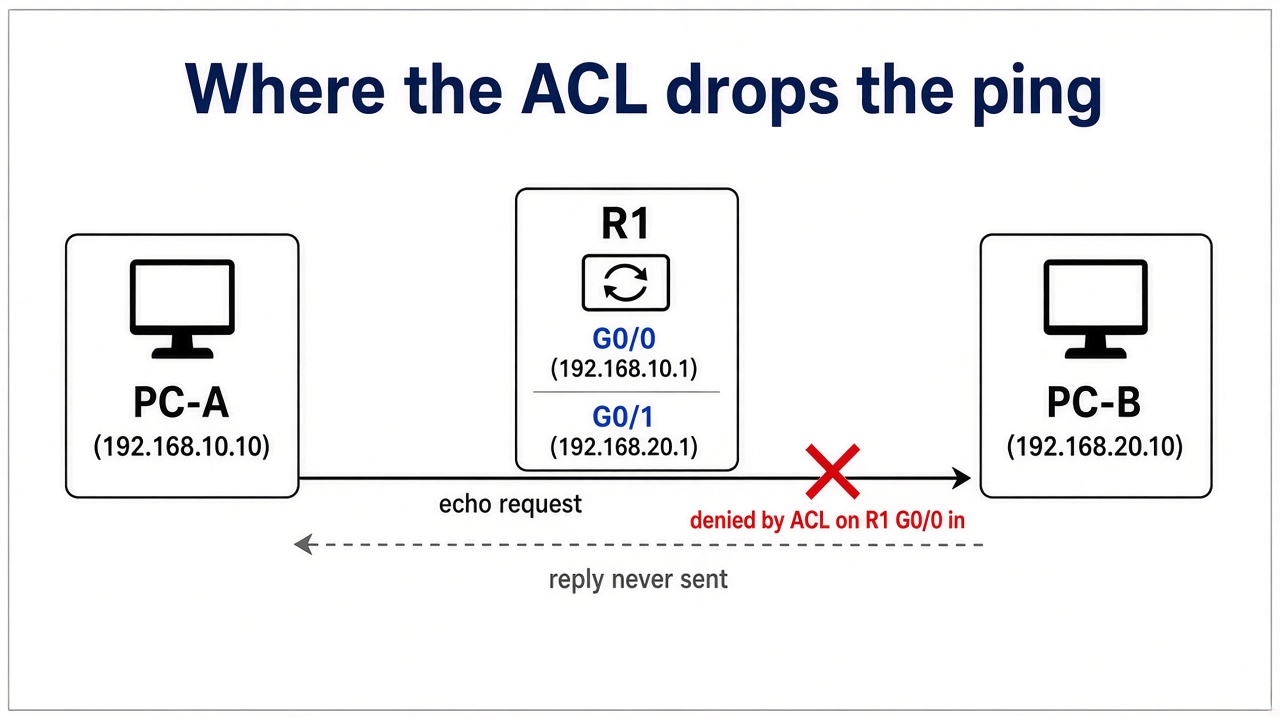
The packet is ICMP echo from 192.168.10.200 to 192.168.20.10, leaving R1 on G0/1.
Line 1 asks: is this TCP to port 80 from the Lab LAN? No, it is ICMP. Move on.
Line 2 asks: is this TCP to port 80 from the Guest LAN? No. Move on.
End of list. The implicit deny catches it. Dropped.
The student only thought about web traffic. Ping, DNS, Telnet, everything that is not HTTP from the Lab LAN, falls through to that hidden deny. The ACL is not "wrong" line by line. It is incomplete, and the missing line is the one you cannot see.
Prove it before you fix it
I insist that students prove the cause before touching the config. Guessing and retyping is how one problem becomes three. Use these commands.
1. show access-lists
R1# show access-lists
Extended IP access list 110
    10 permit tcp 192.168.10.0 0.0.0.255 host 192.168.20.10 eq www (14 match(es))
    20 deny tcp 192.168.30.0 0.0.0.255 host 192.168.20.10 eq www (6 match(es))
Read the match counters. Ping again from the instructor PC, run the command again, and watch. Neither counter moves. That tells you the ping is not matching any line you wrote, so it must be hitting the implicit deny, which never shows a counter.
2. show ip interface
R1# show ip interface g0/1
GigabitEthernet0/1 is up, line protocol is up (connected)
  Internet address is 192.168.20.1/24
  ...
  Outgoing access list is 110
  Inbound  access list is not set
This confirms which ACL is applied, on which interface and in which direction. Half the time a student swears the ACL is inbound and this output says otherwise.
3. Test from the right place
Do not test by pinging from the router itself. Cisco notes that an outbound ACL does not filter packets the router generates, so ping 192.168.20.10 from R1 can succeed while every PC behind it fails. That false "success" has fooled many students. Test from a real end device, the same way I will mark it.
The fix
Go back to the task card. The goal is to deny one thing and allow everything else. That means the specific deny goes first and a broad permit goes last. Remove the ACL from the interface, delete it, and rebuild it:
R1(config)# interface g0/1
R1(config-if)# no ip access-group 110 out
R1(config-if)# exit
R1(config)# no access-list 110
R1(config)# access-list 110 deny tcp 192.168.30.0 0.0.0.255 host 192.168.20.10 eq www
R1(config)# access-list 110 permit ip any any
R1(config)# interface g0/1
R1(config-if)# ip access-group 110 out
The old permit for the Lab LAN is gone because permit ip any any already covers it. Ping from the instructor PC now gets replies from 192.168.20.10, guest browsing is still blocked, and show access-lists shows the counter on the permit line climbing with every ping.
A second version of the same mistake
Another group got a stricter card: guests may ping the server for testing, nothing else. They wrote this, inbound on G0/2:
access-list 120 deny ip 192.168.30.0 0.0.0.255 any
access-list 120 permit icmp 192.168.30.0 0.0.0.255 any echo
The permit line had zero matches all afternoon. Why? Ping is IP, so line 1 catches it first and the router never reads line 2. Swap them: the specific permit for ICMP goes above the broad deny. Top-down matching punishes you for putting general lines before specific ones.
What usually goes wrong
Forgetting the implicit deny. If the task says "everything else allowed", you need an explicit
permit ip any anyat the end.General line above specific line. A broad deny placed first makes every later permit useless.
Wrong direction. "In" and "out" are from the router's point of view, not the PC's.
Standard ACL placed near the source. A standard ACL only checks the source address, so applied close to the source it blocks that host from everywhere, not just the target.
Wildcard slips on management access. One student protected the VTY lines with
access-list 10 permit 192.168.10.0 0.0.0.127andaccess-class 10 in. That only covers .0 to .127, and my PC is .200, so I could not Telnet in to mark. Count the bits.Testing only from the router. Router-generated pings skip outbound ACLs.
A short routine for next time
Write the policy in plain words first: what is denied, what is allowed.
Order the lines from most specific to most general.
Decide the closing line:
permit ip any anyor let the implicit deny work.Apply it and confirm with
show ip interface.Test from end devices, both what should pass and what should fail.
Read the counters in
show access-listsafter each test.
ACLs and their verification sit inside the CCNA exam topics under security fundamentals (Cisco CCNA exam page), so this routine is not just for my marking. It is what an interviewer or a network team will expect you to do without being told.
Break it on purpose
Here is my challenge. Open Packet Tracer tonight, build this three-LAN topology, and type the broken ACL exactly as the student did. Watch the ping fail, read the counters, find the implicit deny yourself, then fix it. Then try the second version and see the zero counter with your own eyes. A failure you created and solved on your own sticks far longer than one you read about. When you walk into the next lab and your ping dies, you will already know where to look.