
What are the Different Types of Network Topologies?
A network topology describes the physical and logical layout of devices like computers, servers, and hardware in a computer network, showing how they connect and communicate. Common types of network topologies include bus (shared line), star (central hub), ring (looped devices), mesh (multiple paths), tree (hierarchical), and hybrid (combined features).
Common Types of Network Topologies
There are 7 common types of network topologies in computer networking:
1. Point-to-Point Topology: A direct connection between two devices for simple and fast communication.
2. Bus Topology: All devices share a single communication line, making it cost-effective but prone to collisions.
3. Star Topology: Devices connect to a central hub, offering easy management and fault isolation.
4. Ring Topology: Each device connects to two others in a loop, ensuring orderly data transmission.
5. Mesh Topology: Every device connects to multiple others, providing high redundancy and reliability.
6. Tree Topology: A hierarchical structure combining star and bus topologies for scalability.
7. Hybrid Topology: A mix of different topologies to leverage their combined benefits for complex networks.
1. Point-to-Point Topology
Point-to-point topology is the simplest network configuration, connecting two nodes directly through a dedicated communication link. This setup resembles a direct line between two endpoints, enabling efficient and rapid data transfer.
Think of a telephone call between two people. In a point-to-point topology, such as the one used in that call, two connected devices communicate directly without interference, sharing the entire bandwidth for high performance and low latency.
Advantages
● High bandwidth and fast communication speeds.
● Easy to maintain and troubleshoot since only two nodes are involved.
Disadvantages
● Limited to two devices; expanding the network requires additional links.
● If the connection fails, communication between the two nodes is disrupted.
Uses
● Used by businesses to connect two offices directly via a dedicated leased line.
● Used in many VPN connections, where a secure tunnel is established between a user and a remote server.
● Bluetooth devices such as headphones and smartphones use point-to-point connections
2. Bus Topology
Imagine a long cable, resembling a bus route, with devices connected along its length. This is the essence of a bus topology. In a bus topology, all devices share the same communication channel. Data travels along the cable, and each device checks if the data is intended for it. If so, it accepts the data; otherwise, it ignores it.
Think of a school bus with seats for students. In a bus topology, devices like computers and printers are arranged in a line along a single cable, which serves as their communication pathway, similar to a bus route.

Advantages
● Simple to set up and cost-effective.
● Well-suited for small networks with few devices.
Disadvantages
● Limited scalability; adding more devices can degrade performance.
● A single cable break can disrupt the entire network.
Uses
● Used in simple setups where a few computers are connected to share files or printers.
● Used in older Ethernet networks using coaxial cables.
● Used in manufacturing environments where sensors and controllers are connected along a single communication line.
3. Star Topology
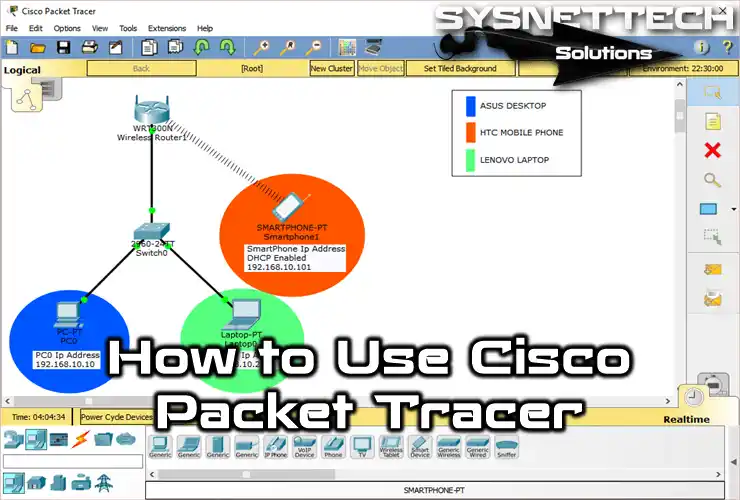
In a star topology, each device is connected directly to a central hub or switch. All communication between devices must go through this central point. It’s like a hub-and-spoke model, with the hub being the focal point for data transmission.

Advantages
● Easy to install, manage, and troubleshoot.
● Isolates issues to individual connections; a failure in one device doesn’t affect others.
Disadvantages
● Dependence on the central hub; if it fails, the entire network goes down.
● More cabling is required, making it costlier than a bus topology.
Uses
● Common in corporate environments where each computer connects to a central switch or hub.
● ATMs and branch systems connect to a central server for secure and reliable transactions.
4. Ring Topology
In a ring topology, each device is connected to exactly two other devices, forming a closed loop or ring. Data circulates in one direction. When a device receives data, it processes it and passes it along to the next device until it reaches its destination.

Advantages
● Even data distribution, as each device has an equal opportunity to transmit.
● Simple and predictable data path.
Disadvantages
● A break in the ring can disrupt the entire network.
● Adding or removing devices can be complex.
Uses
● Used in city-wide networks to connect multiple buildings or institutions in a loop for efficient data routing.
● IBM’s Token Ring LANs used ring topology to manage access and avoid collisions.
5. Mesh Topology
Mesh topology is like a web of connections, where each device is connected to every other device. This creates redundancy and multiple paths for data to travel. Mesh networks can be either full mesh (every device is connected to every other) or partial mesh (some devices have fewer connections).

Advantages
● High redundancy; the network remains operational even if some connections fail.
● Scalable and adaptable; can handle a large number of devices.
Disadvantages
● Expensive due to the numerous cables and ports required.
● Complex to set up and maintain.
Uses
● Used in battlefield networks for high reliability and redundancy.
● Used in large campuses, cities, or rural areas to provide widespread Wi-Fi coverage.
6. Tree Topology
A tree topology combines characteristics of star and bus topologies, arranging nodes in a hierarchical structure that resembles a tree. In this layout, multiple star networks are connected to a central bus, allowing for a scalable and organized network design.
Think of a family tree, where each branch represents different family members connected to a common ancestor. Similarly, in a tree topology, the central node acts as the trunk, with branches extending to various sub-nodes.
Advantages:
● Scalable and easy to expand by adding new nodes without disrupting the entire network.
● Facilitates better management and organization of devices.
Disadvantages:
● If the central trunk fails, it can disrupt the entire network.
● More complex to configure and maintain compared to simpler topologies.
Uses
● Schools and universities use tree topology to connect labs, libraries, and administrative offices in a structured hierarchy.
● ISPs use tree topology to manage regional and local networks branching from a central hub.
7. Hybrid Topology

A hybrid topology combines two or more different topologies into a single network. This is often done to harness the strengths of one topology while mitigating its weaknesses. For example, a network might use a star topology for its core infrastructure and a bus topology for a smaller, isolated segment.
Advantages
● Flexibility to tailor the network to specific needs.
● Enhanced fault tolerance by combining different topologies.
Disadvantages
● Complexity increases with the number of topologies integrated.
● requires careful planning to ensure smooth operation.
Uses
● Hybrid topology helps manage thousands of servers with a combination of mesh (for redundancy) and star (for control) structures.
● Critical systems like patient records and diagnostics use star topology for control, while monitoring devices may use mesh for continuous data flow.
Which is the Best Type of Network Topology?
The best network topologies for different prospects are:
1. Bus and Star for low costs.
2. Mesh and Hybrid for High reliability.
3. Tree and Mesh for High Scalability.
4. Mesh and Star for High Performance.
Summing Up!!
Now you can understand that network topologies are essential for designing efficient and resilient communication networks. You already saw that each topology has its own set of characteristics, making it suitable for different scenarios.
Whether you opt for a simple bus network, a robust star configuration, a circular ring, an intricate mesh, or a hybrid approach, the choice should align with your network’s goals, budget, and scalability requirements.
The correct topology should be chosen based on the network’s size, scalability, and fault tolerance needs. Therefore, each topology has a place in the development of effective and trustworthy communication infrastructures.